
To set up a U.S. LLC from the United Kingdom, you first need to understand the application and the kind of information you’re going to have to give. The tutorial available on Simplellcguide.com shows you how to go about forming a company through Registered Agents Inc by providing clear instructions and including screenshots. You’ll work through the process using a example from Wyoming, starting with entering a company name and selecting the management details, then looking at the services, setting up an account and making the payment. The guide also deals with the key steps you have to take after making the payment, so that you know what further submissions are required. Use the example entries as a reference and make sure that the details you enter are accurate at all times throughout the application.
Step 1: Start Your LLC Formation
To begin, click here to open the Registered Agents Inc formation portal.
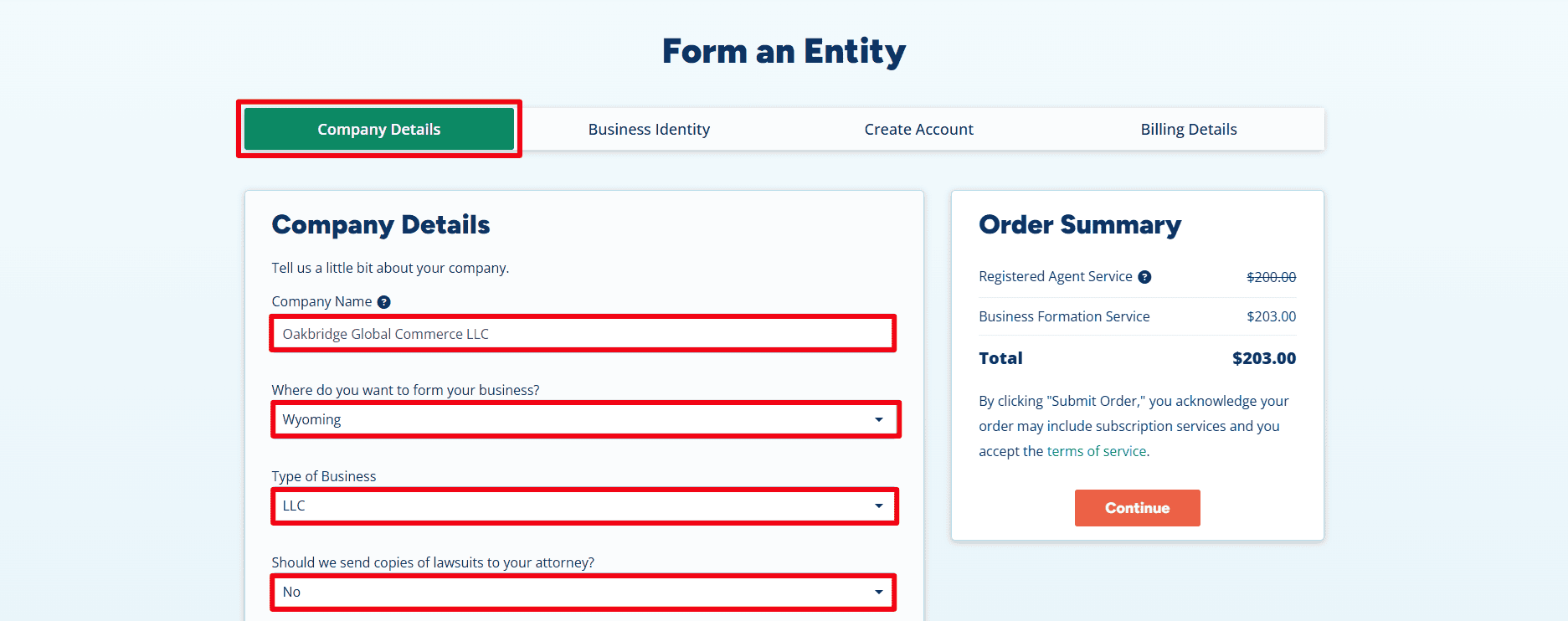
- Company Name: The example given is Oakbridge Global Commerce LLC. Please use the name of the LLC that you want.
- Where do you want to form your business : Wyoming has been chosen. Select the suitable U.S. state for your LLC; Wyoming is the example given in this guide.
- Type of Business: Select LLC, as stated.
- Lawsuit Copies: The example, No has been selected as the answer to the question of whether copies of the lawsuits are to be sent to an attorney. Select the answer that corresponds with your requirements.
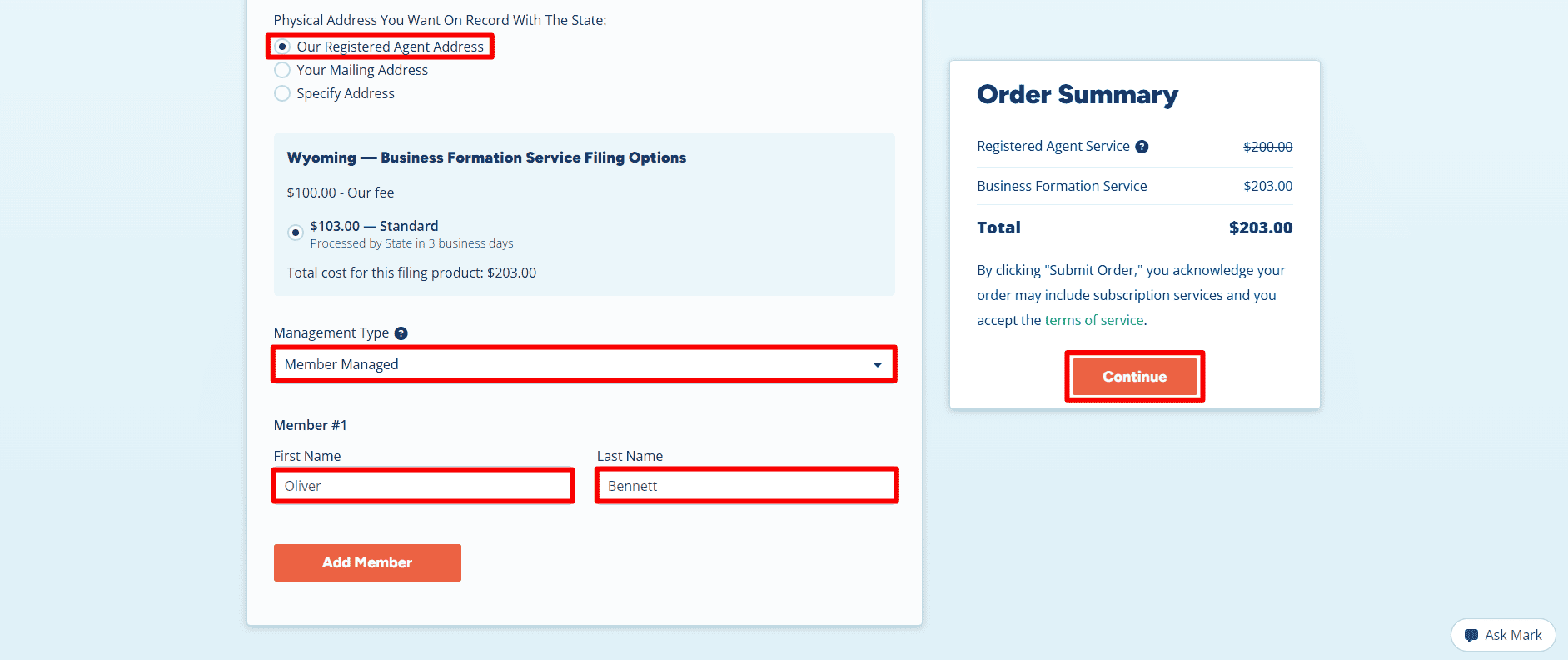
- Physical Address You Want On Record With The State: Our Registered Agent Address, Your Mailing Address, or Specify Address.
- Filing Options: The example has chosen the Standard option at a cost of $103.00 together with a service charge of $100.00; the page indicates that state processing will take 3 business days, which should be taken as the estimated time.
- Management Type: chosen is ‘member managed’, which means that the owners are responsible for managing the LLC.
- Member #1: Oliver Bennett is used as an example; if necessary, type in the real member’s name and click Add Member.
- Order Summary: The total for this order is $203.00, and the charge of $200.00 for the Registered Agent Service is cancelled. You should check the charges and the subscription terms yourself since the costs depend on the state and the services you have selected.
- Continue: Make sure your entries are correct and then click on Continue in order to proceed.
Step 2: Choose Optional Business Services
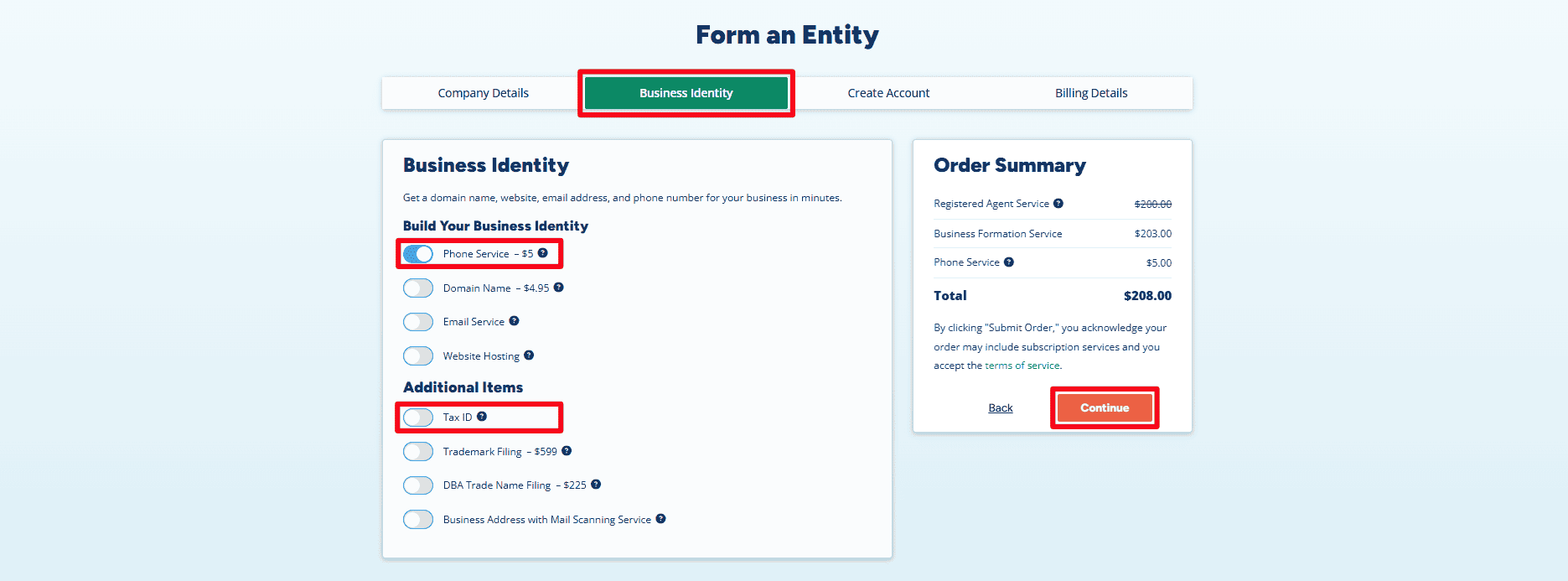
- Phone Service: this optional service is activated in the example. You should choose it only if you really need a business phone number.
- Other services: items such as a domain, email, hosting, and the like are optional and should be switched off if not required.
- Tax ID: The example does not include this option. When you ask the registered agent for an Employer Identification Number (EIN), there is a processing fee; make sure to check the charge before choosing this option. Alternatively, you can apply directly with the IRS without having to pay an EIN application fee. Internal Revenue Service
- DIY EIN guides: if you are a resident or citizen of the United States, refer to the guide available from here . If you are a non-U.S. resident, then refer to our full guide which is available from here .
- Continue: check your choices and click Continue.
Step 3: Enter Contact Details and Create Your Account
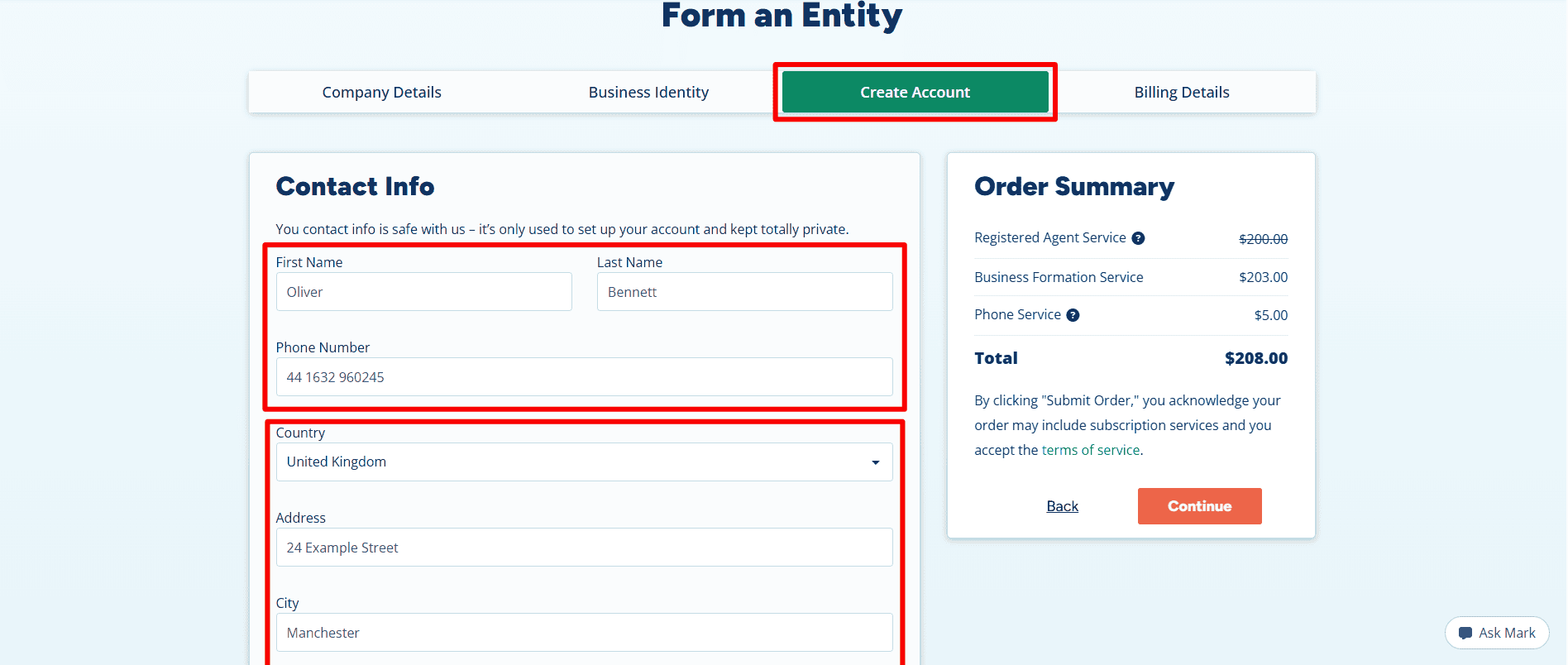
- First Name / Last Name: Oliver Bennett is used as an example; enter your own correct name.
- Phone Number: Give us a phone number where you can be reached.
- Country / Address / City:
The example shows the United Kingdom and Manchester; fill in your own country and complete your mailing address.
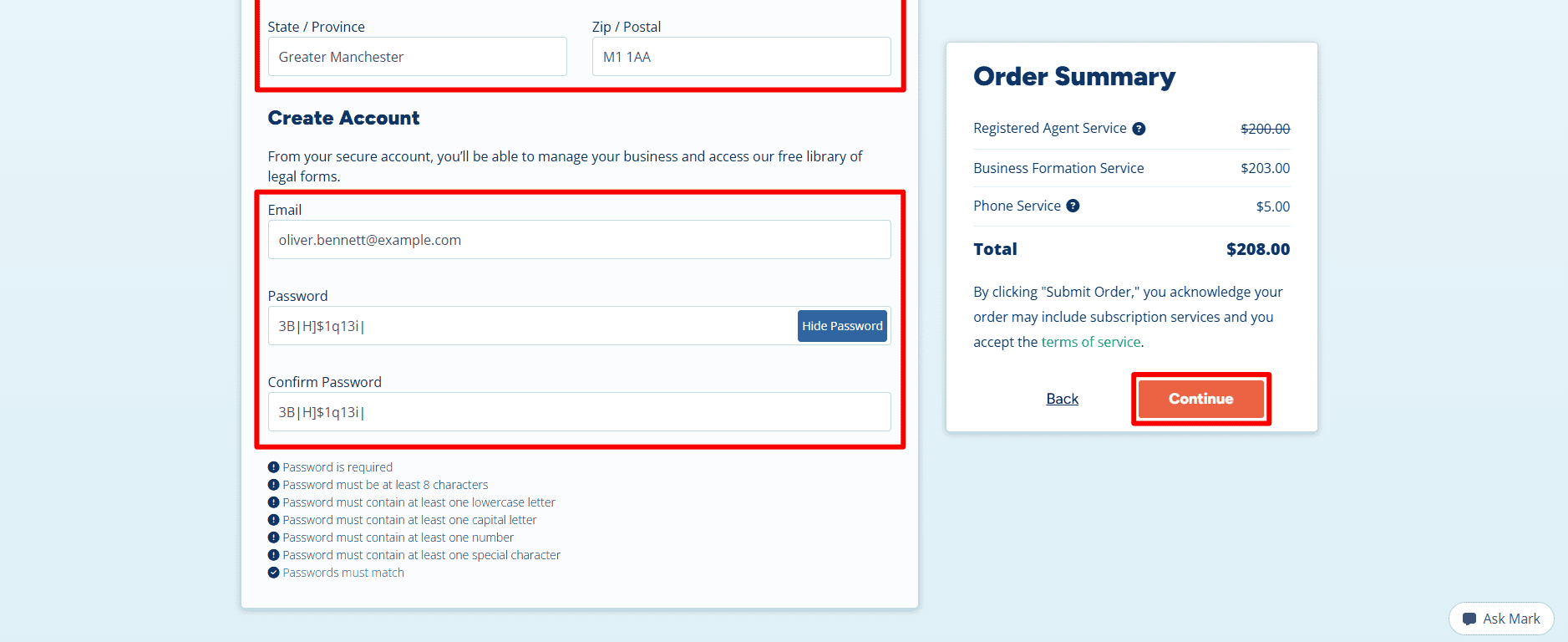
- State / Province / Zip / Postal: For the remaining address fields, please fill in your correct details for the state/province/zip/postal code.
- Email: Please enter an email address that you regularly check.
- Password / Confirm Password: make a password that is unique and satisfies the requirements shown, then type it again.
- Continue: verify your details and click Continue.
Step 4: Enter Billing Details and Submit Your Order
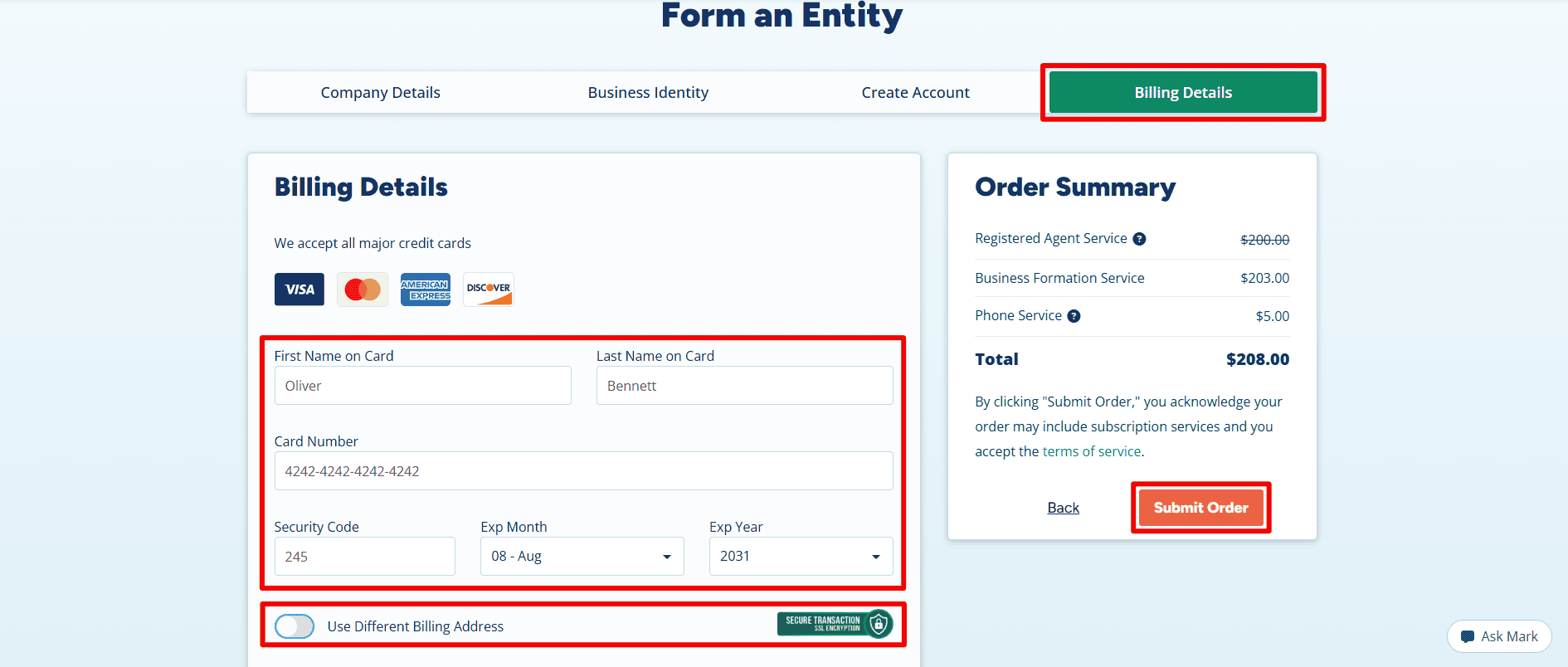
- First Name on Card / Last Name on Card: enter the name of the cardholder.
- Card Number / Security Code / Exp Month / Exp Year: please enter your own payment information.
- Use Different Billing Address: If the billing address on your card is different from the one already given, then select this option.
- Order Summary: check the services you have chosen, the total amount and the terms, including any subscriptions.
- Submit Order: hen you’re ready. The screenshot displayed here is of the checkout form and therefore does not confirm that payment has been made or that approval has been given.
Step 5: Open State Filing Details and Download Your Invoice
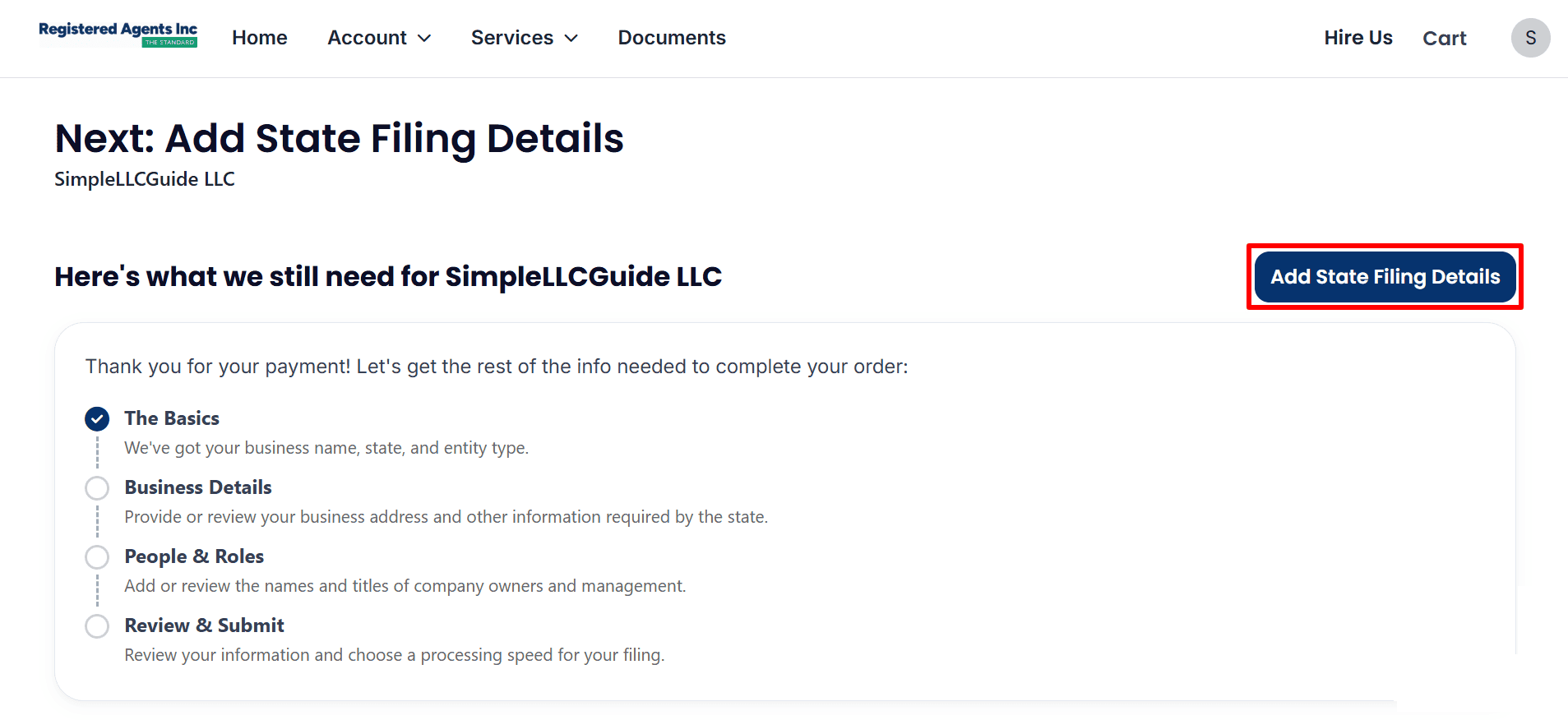
- Payment received: The page thanks you for payment for SimpleLLCGuide LLC, but state filing details still need to be completed.
- Add State Filing Details: Click this button to provide the remaining business information, owner or management details, and review your filing before submission.
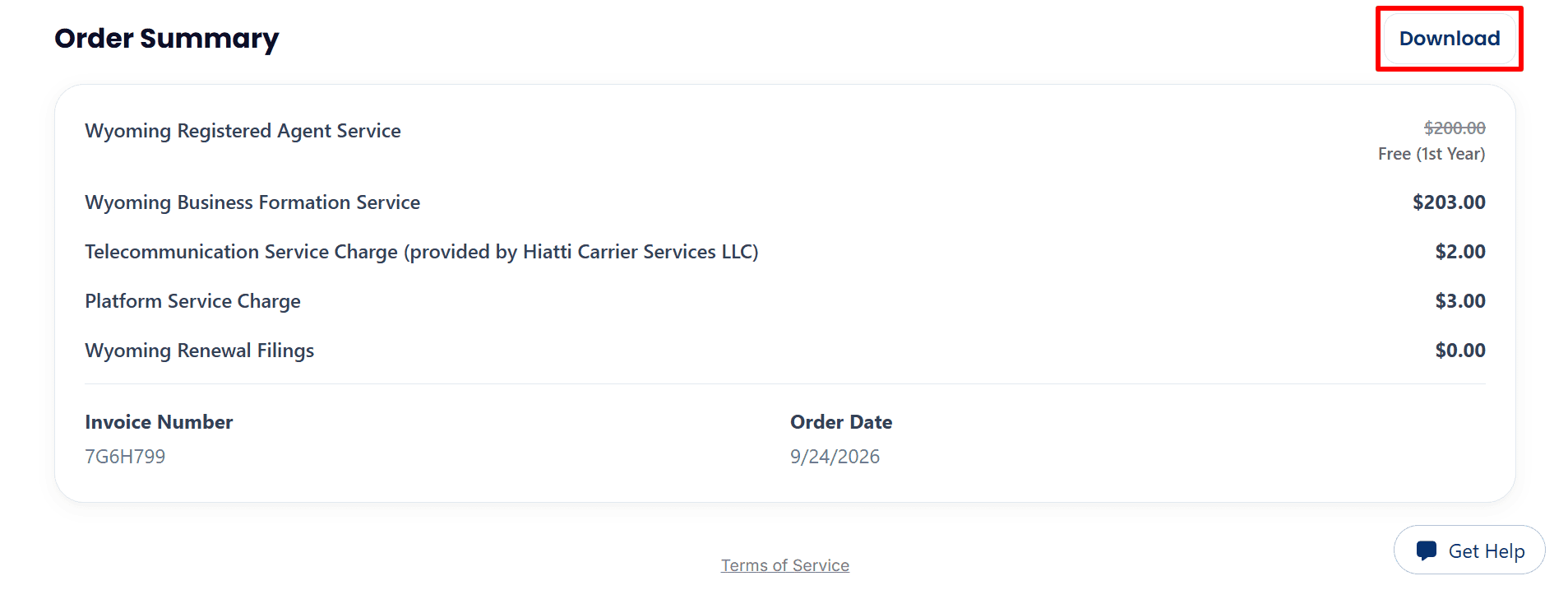
- Order Summary: Review the services listed for your Wyoming LLC order.
- Download: Click Download to save your invoice for your records.
Step 6: Complete Your Business Details and Filing Address
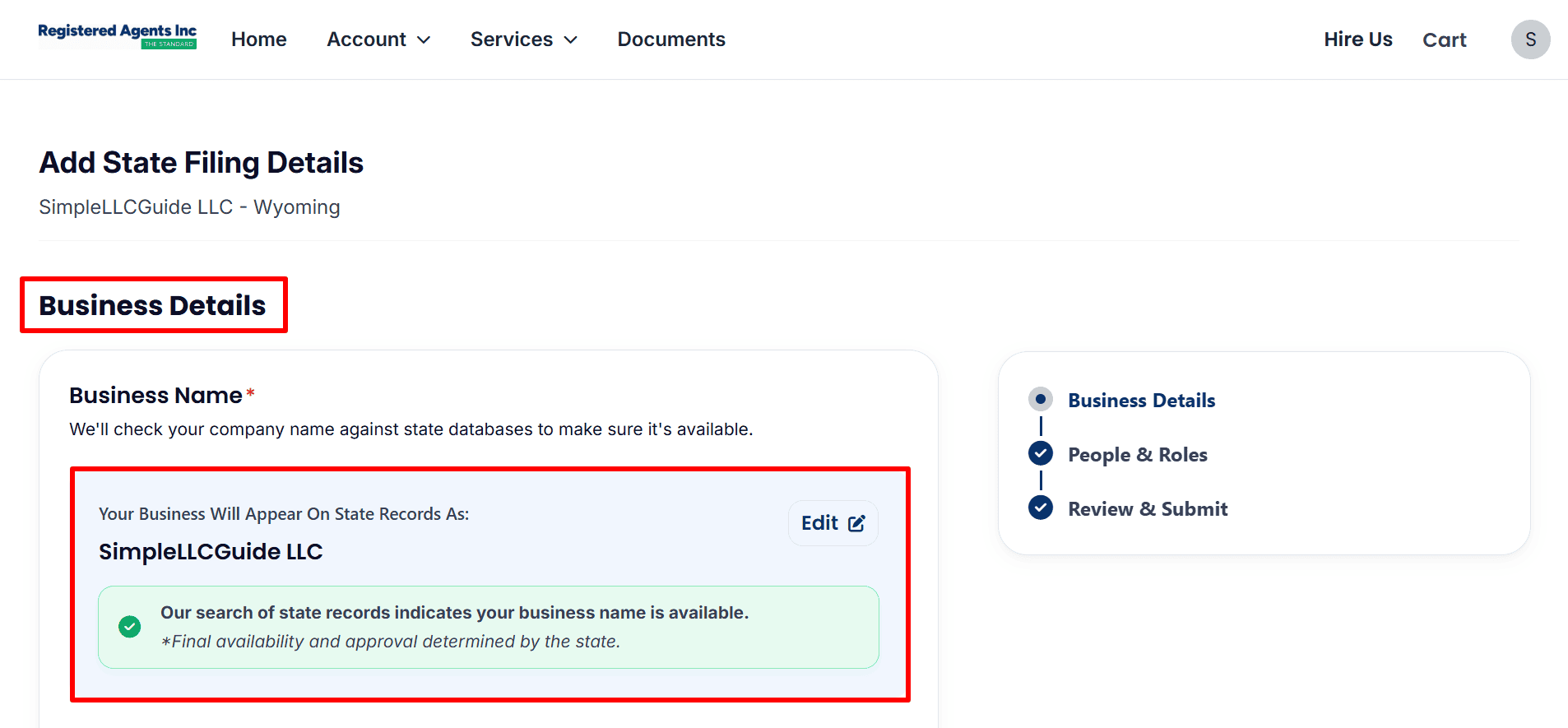
- Business Name: Review SimpleLLCGuide LLC, as listed in this example. If you need to correct your own company name, select Edit.
- Name availability: Rowever, the final determination of availability and approval is made by the state.
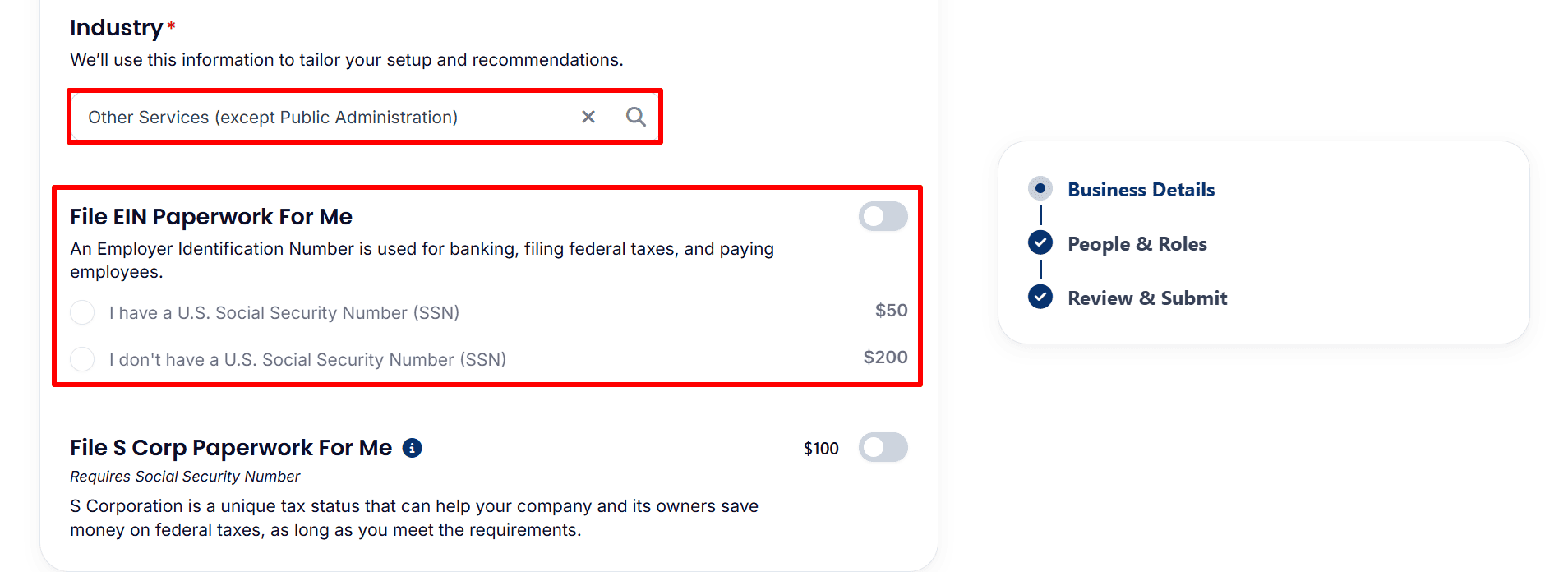
- Industry: Choose the category that best describes your business. This example uses Other Services (except Public Administration).
- File EIN Paperwork For Me: This optional service is switched off. If you want the registered agent to obtain your EIN, a processing fee applies. Select the answer that accurately reflects whether you have a U.S. Social Security Number.
- Apply yourself: You can apply directly through the IRS without paying an EIN application fee :
- U.S. residents or citizens: Follow our step-by-step guide from here.
- Non-U.S. residents: Follow our complete guide from here.
- File S Corp Paperwork For Me: Leave this optional service off unless you have confirmed that your business qualifies and you want this tax election.
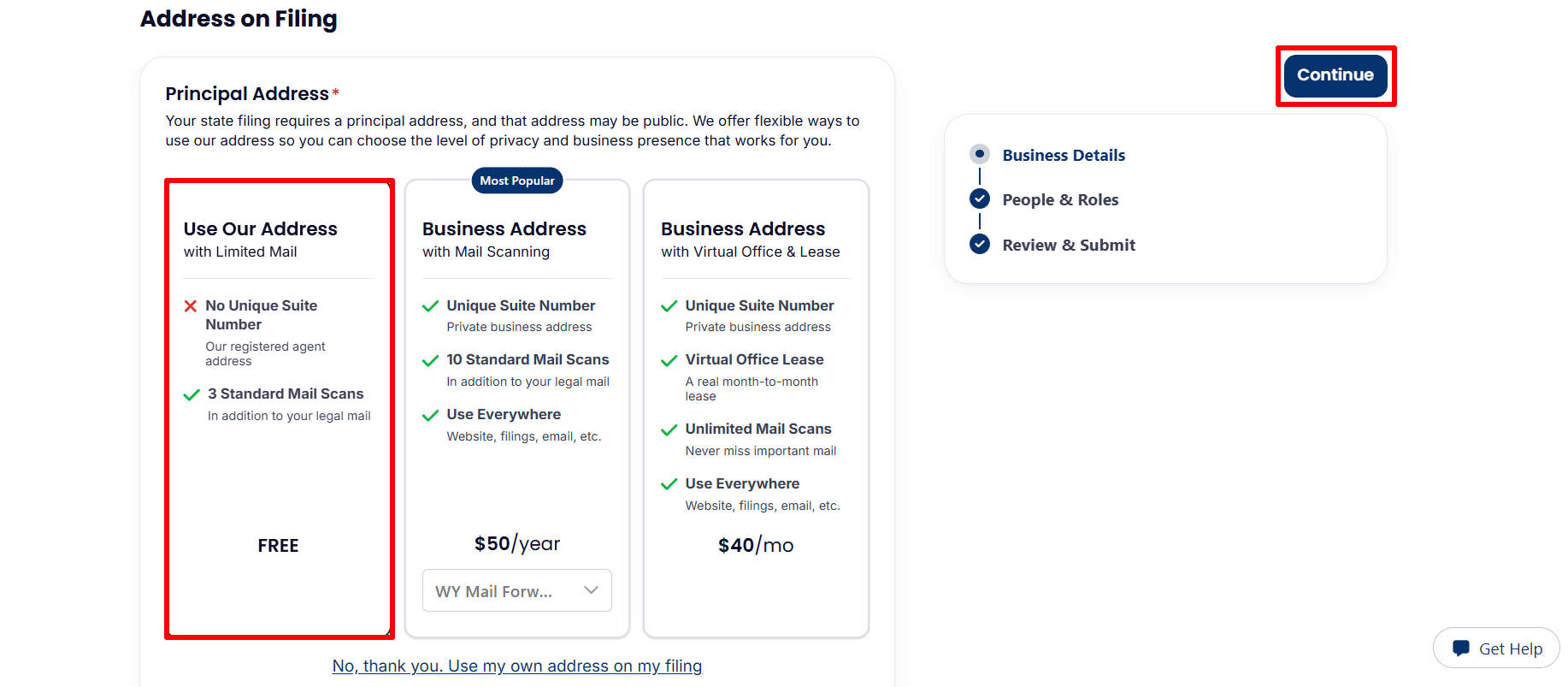
- Principal Address: consider the different address choices; the one that is highlighted is ‘Use Our Address with Limited Mail’, and this option has no separate suite number along with three standard mail scans.
- Optional upgrades: include mail scanning and virtual office packages; select only those items that your business requires.
- Use your own address: Choose No, thank you. Use my own address on my filing if you prefer to provide your own accurate address.
- Mailing Address: Same as Principal Address is enabled in the example. Turn it off if your mailing address differs. The page states that this address will become public information.
- Continue: Review your details and click Continue.
Step 7: Confirm Management and Member Details
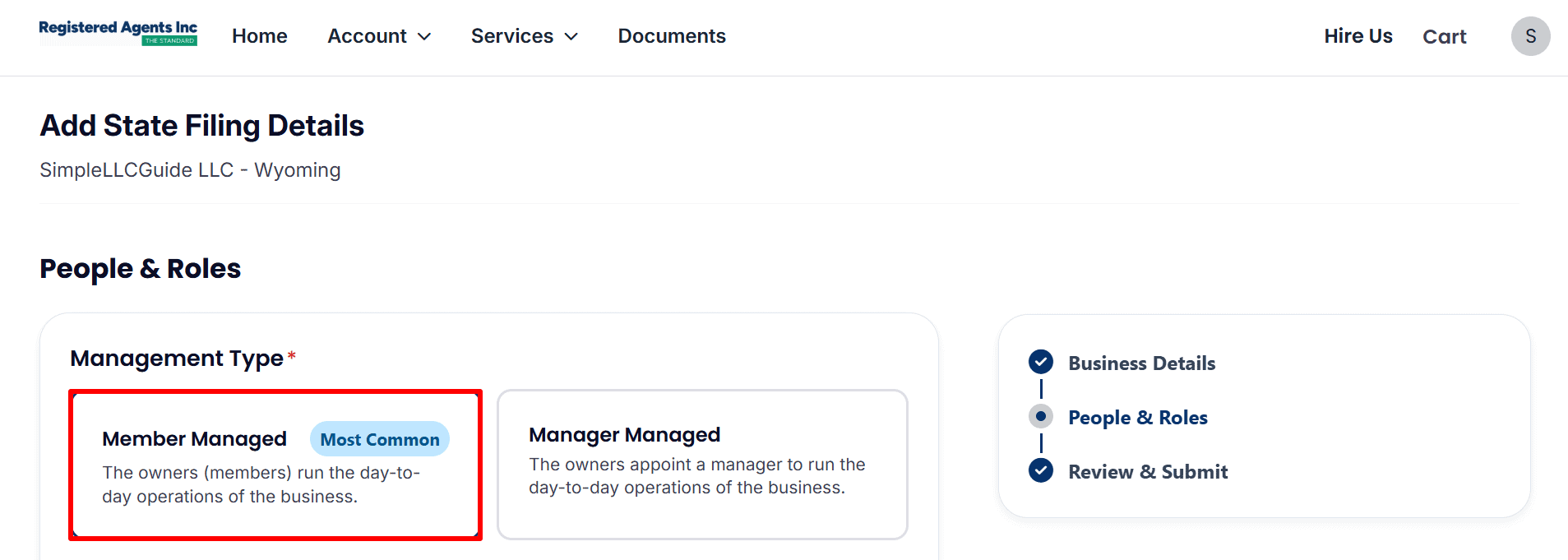
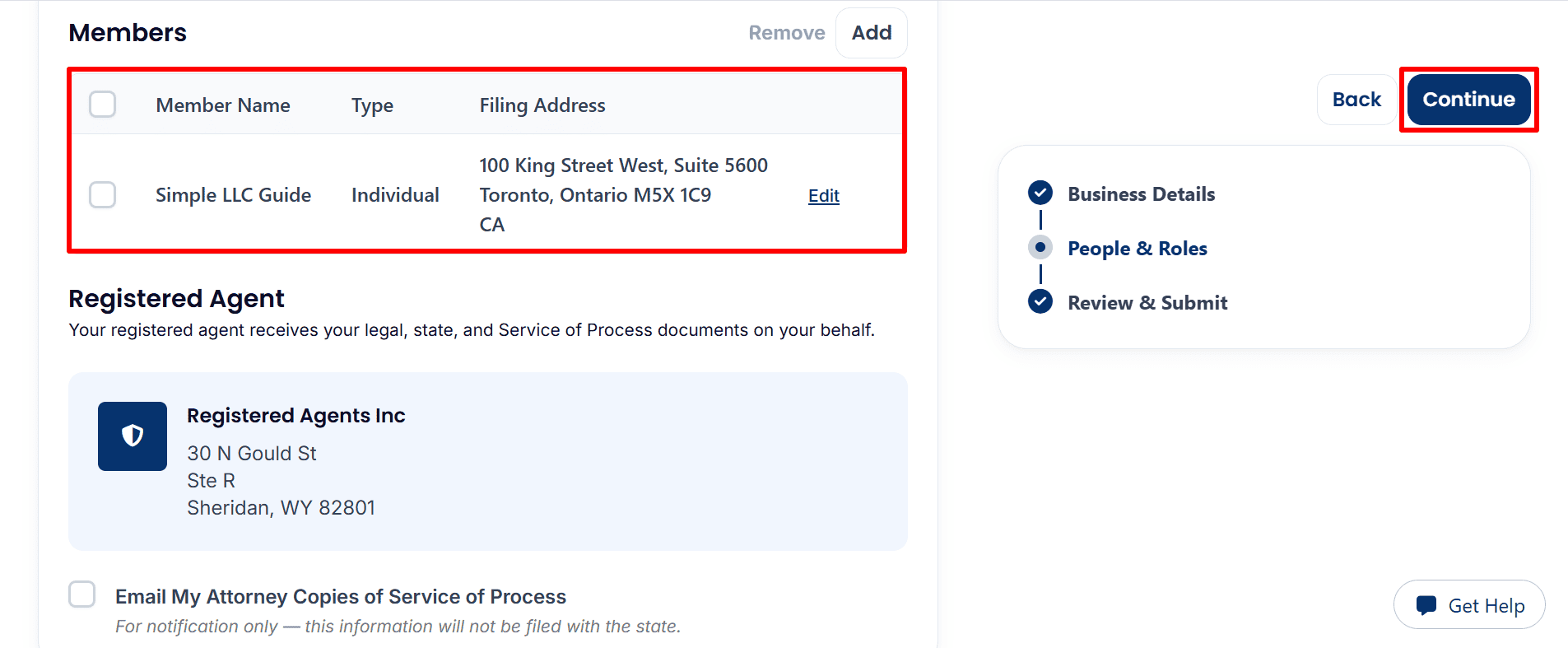
- Management Type: The example given is of a Member Managed structure, in which the owners are in charge of the day-to-day operations. If managers are going to be appointed to run your business, then select Manager Managed.
- Members: Check the name, type and filing address for each member and use Add or Edit to enter your own correct details.
- Registered Agent: Look at the details for Registered Agents Inc under the Registered Agent section.
- Email My Attorney Copies of Service of Process: choose this optional notification only if it is necessary.
- Continue: Click Continue after having checked the information.
Step 8: Review and Submit Your Filing Details
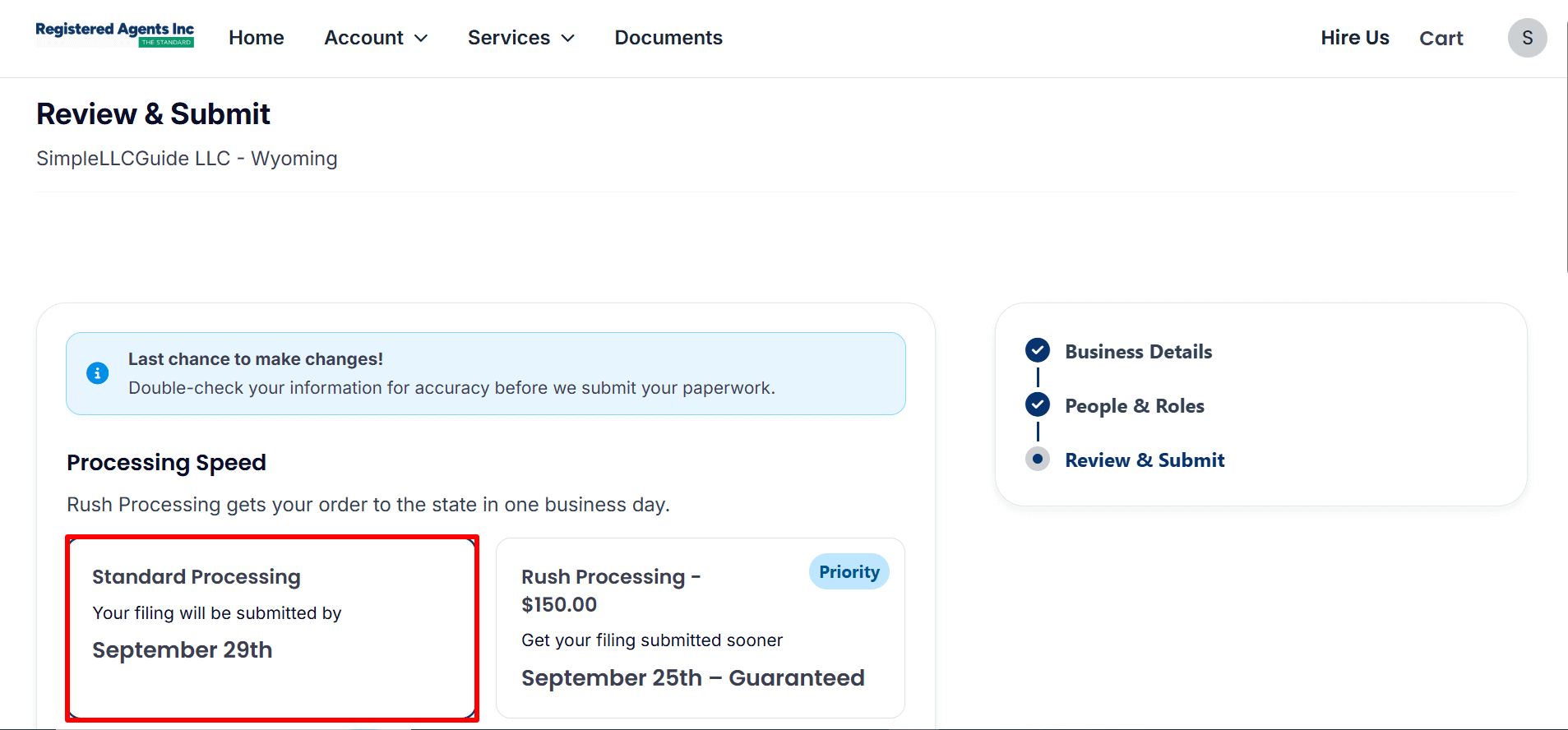
- Processing Speed: optional rush processing allows for an earlier submission to the state, not guaranteed approval by the state.
- Review: Look at the submission estimate that is shown for your order.
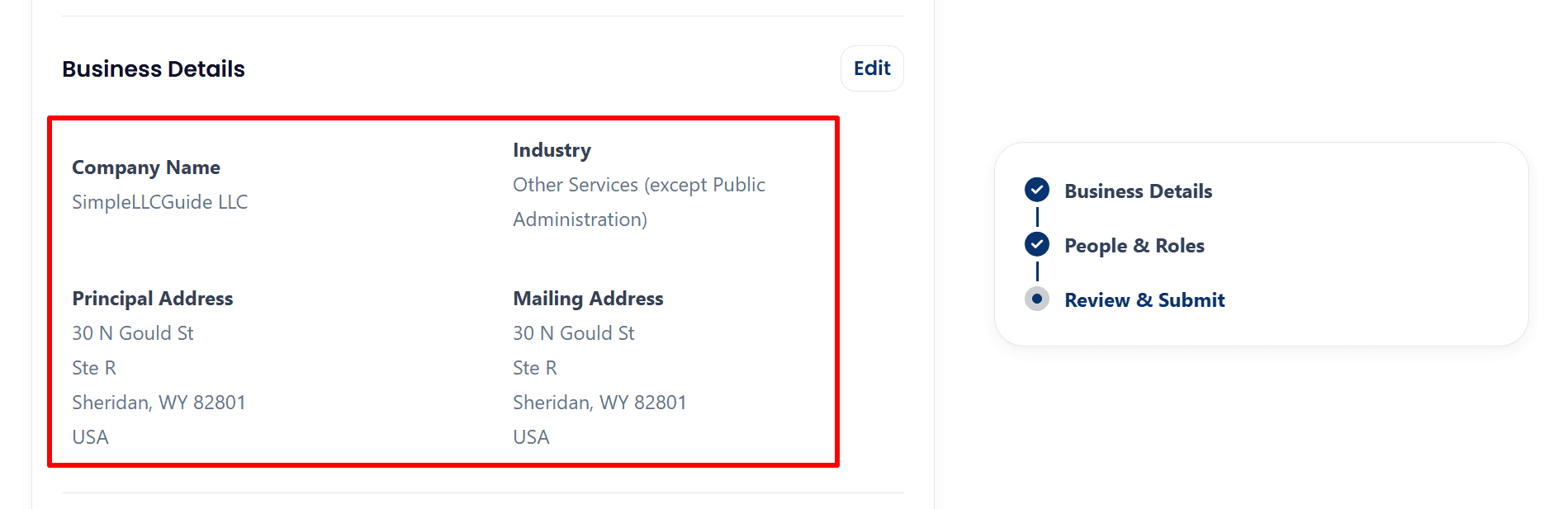
- Business Details: please check and confirm your Company Name, Industry, Principal Address and Mailing Address; if there are any errors click Edit to make the necessary corrections.
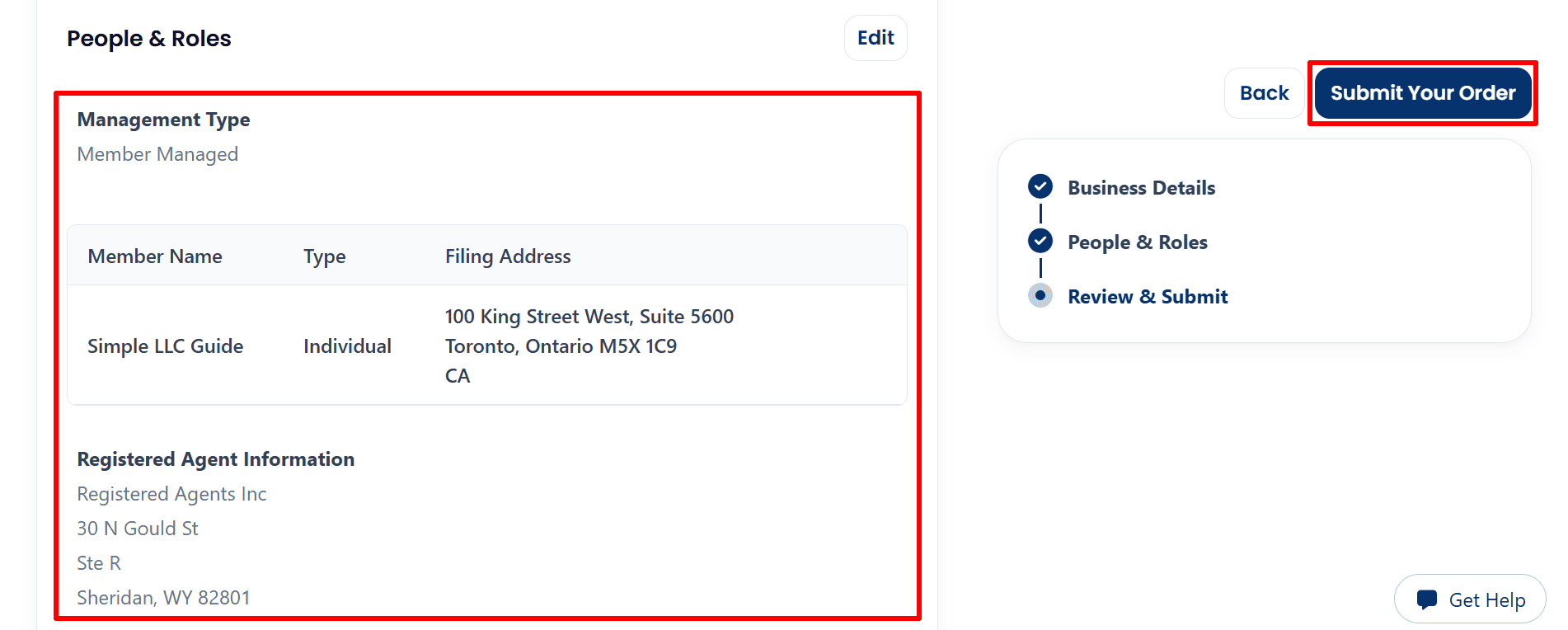
- People & Roles: Check what type of management is in place, who the members are, and the details of the registered agent.
- Submit Your Order: once you have checked that all the details are correct, click on ‘Submit Your Order’ to send the completed filing details to the provider.
Step 9: Check Your Submission Confirmation and Status
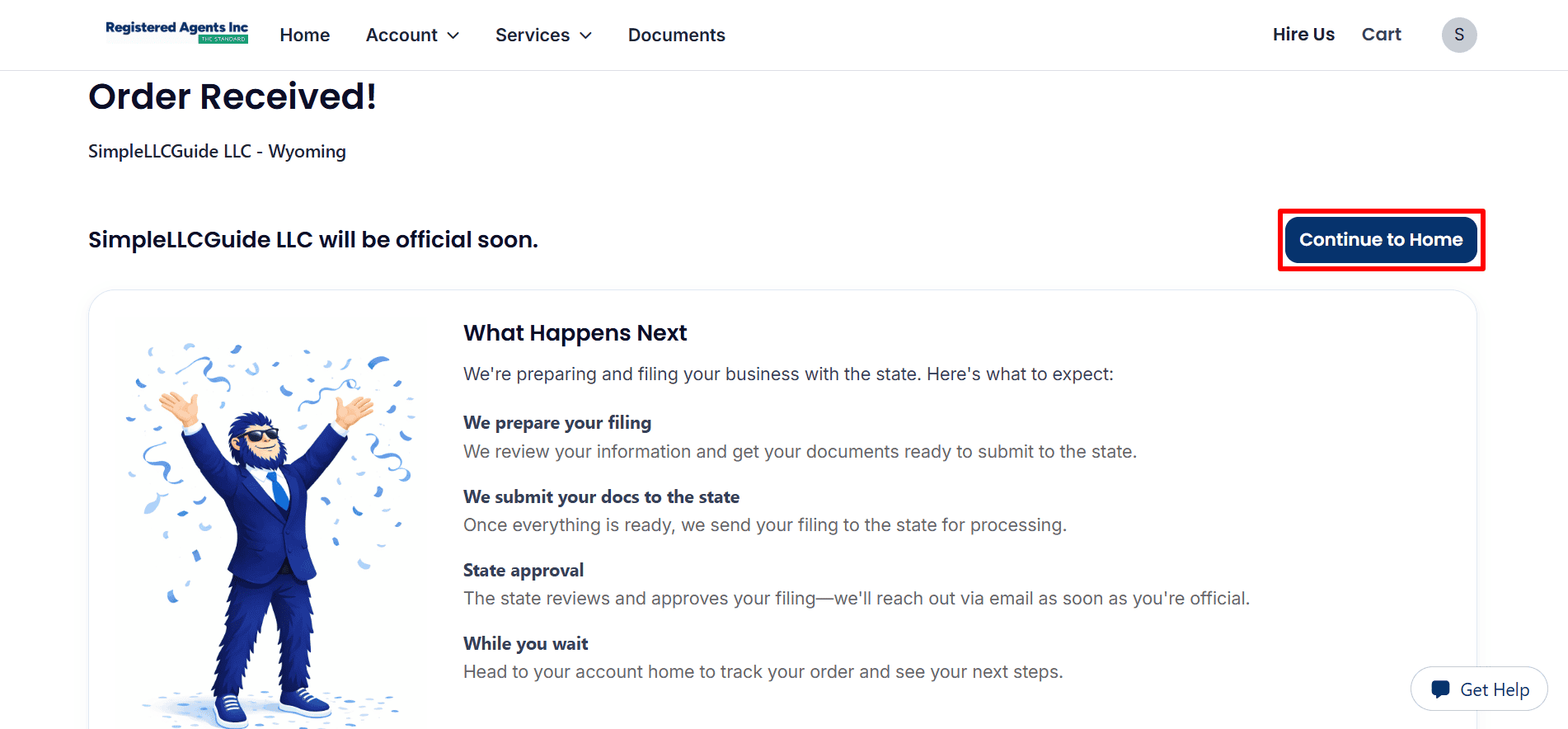
- Order Received: This page indicates that we have received the finished submission from SimpleLLCGuide LLC – Wyoming, although state approval will come at a later stage.
- Continue to Home: please click on ‘Continue to Home‘ in order to track your progress.
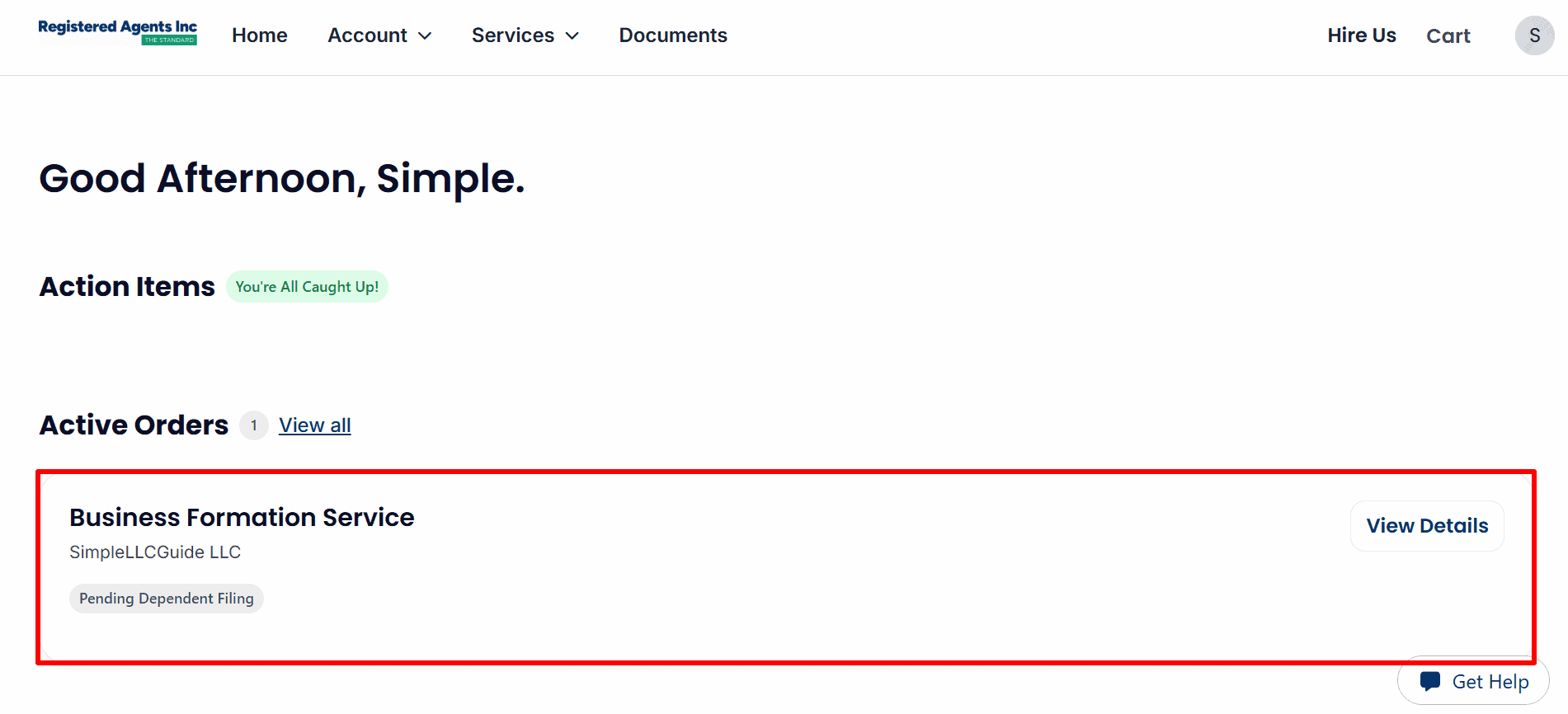
- Active Orders: The example shows a Pending Dependent Filing for the Business Formation Service.
- View Details: click on View Details to view any updates. The message You’re All Caught Up! means that there are no action items currently listed; it doesn’t indicate that the status has been approved.
Step 10: Find Account Tools and Optional Phone Service
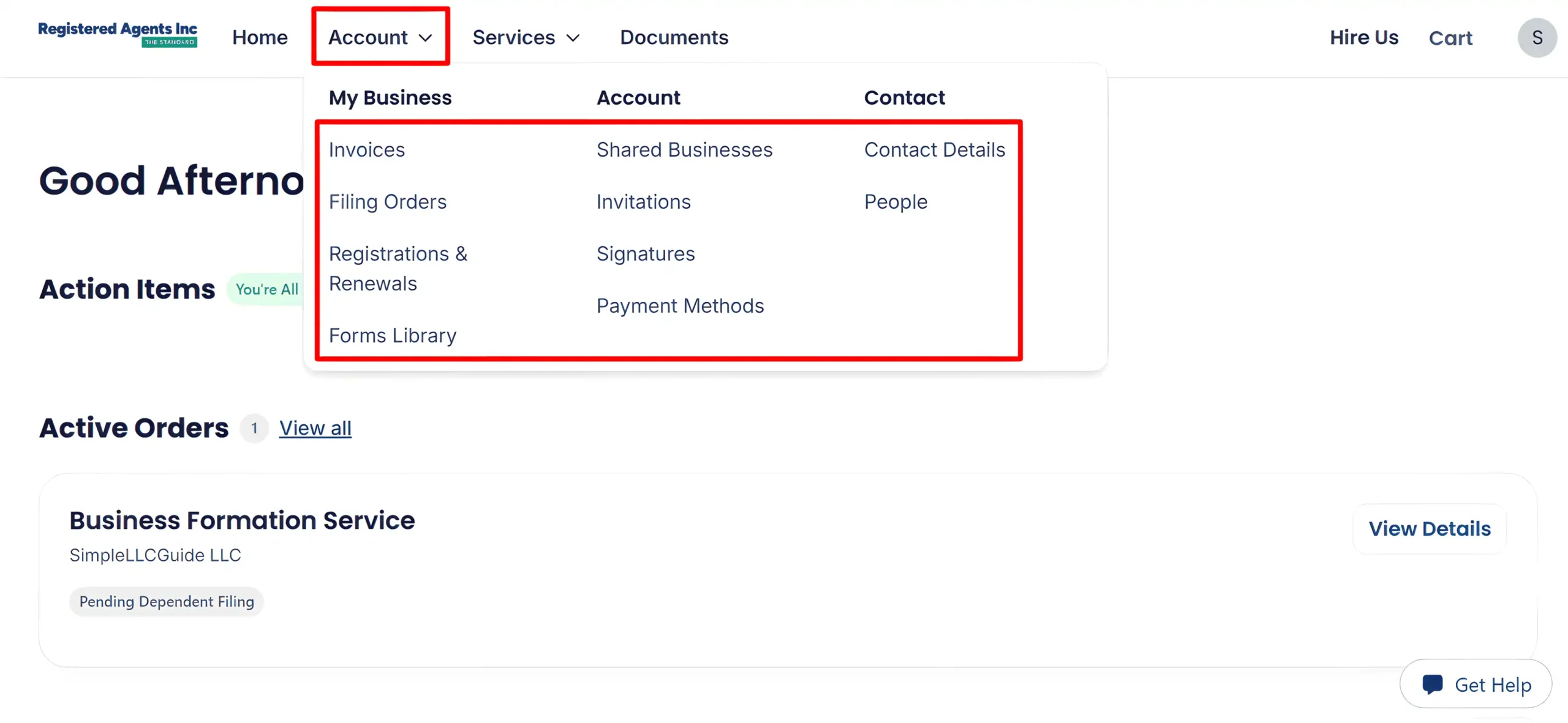
- Account: Open this menu to access Invoices, Filing Orders, contact details and other account tools.
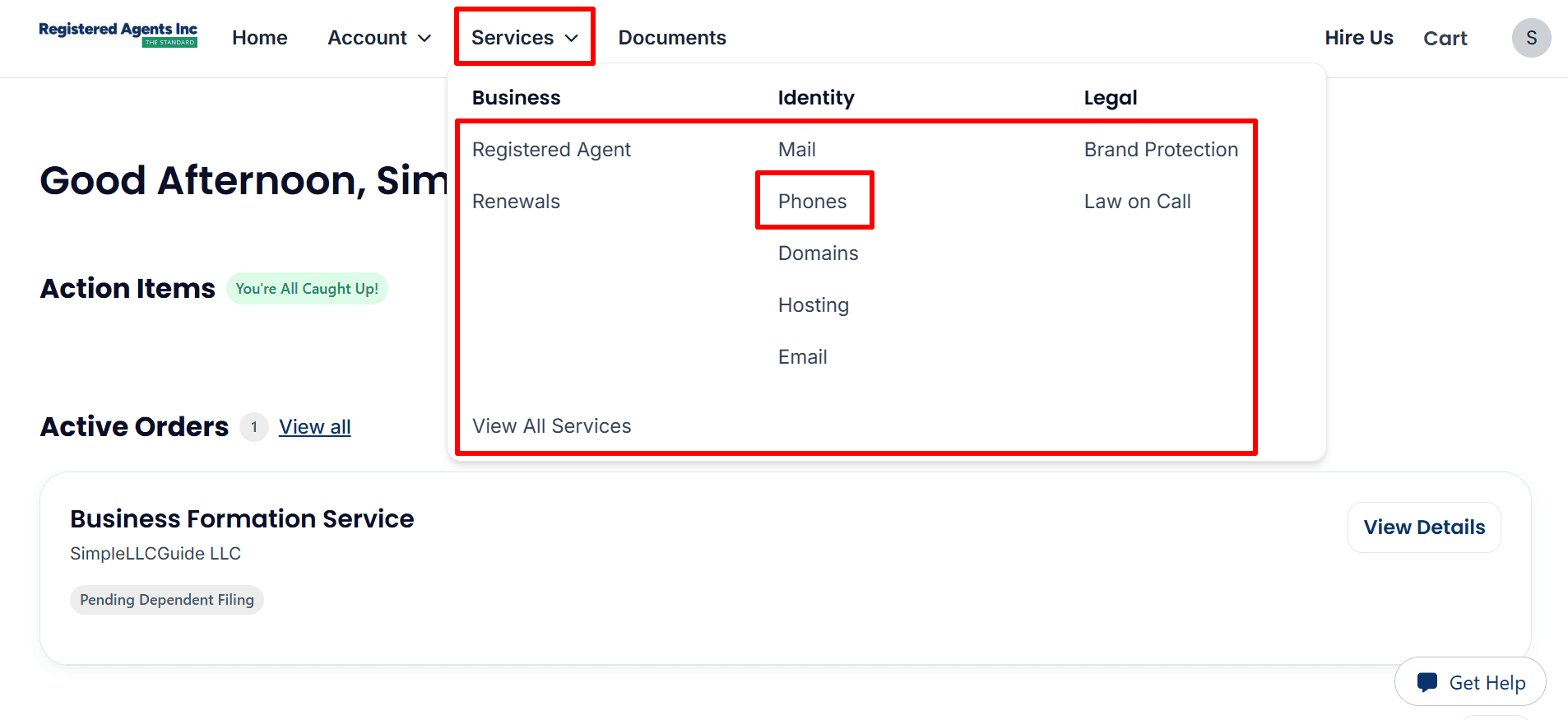
- Services → Phones: Select Phones to access the optional business phone service. This screenshot shows the menu, but no assigned phone number.
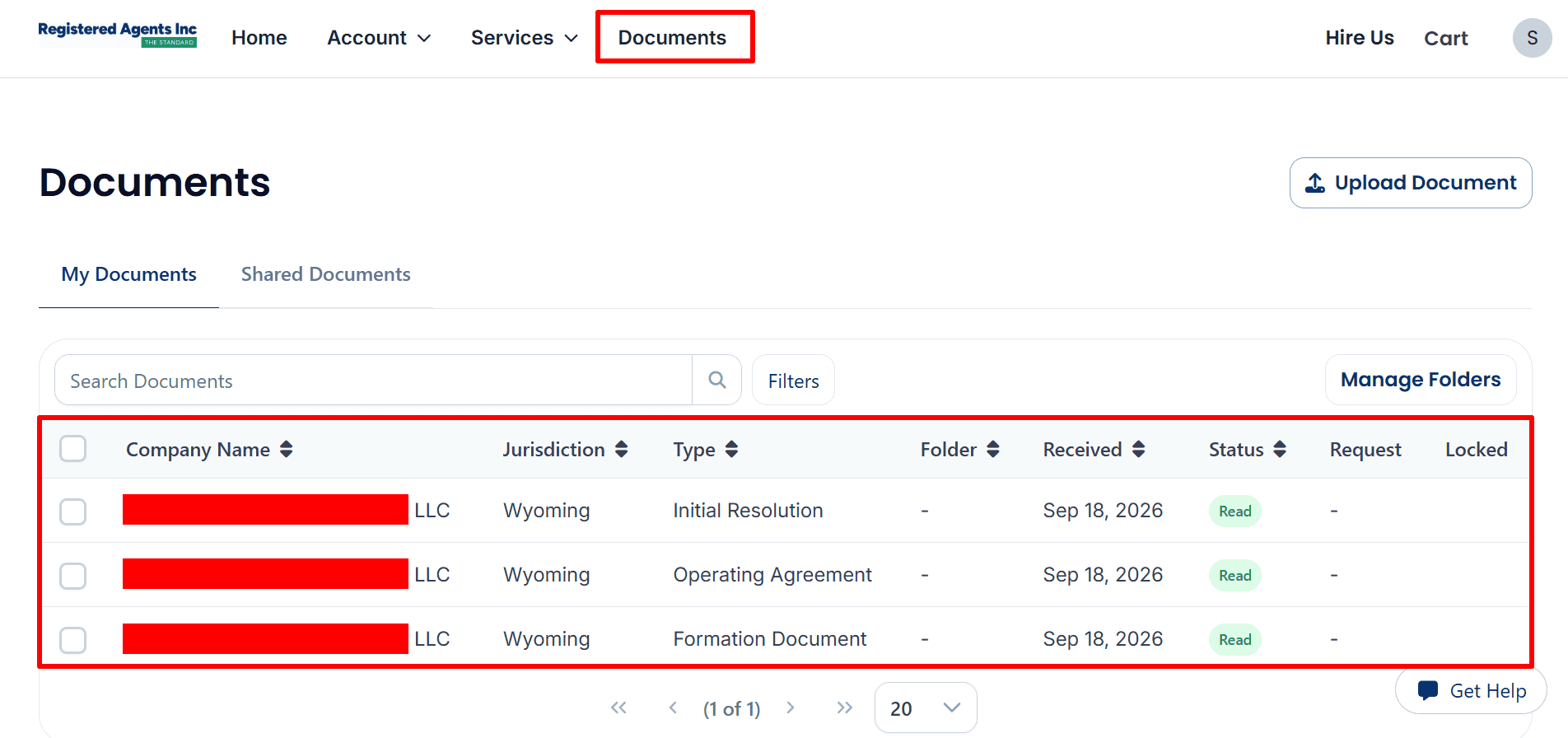
Step 11: Find Your Available Documents
- Documents: To see the available files, open Open Documents and then My Documents.
- Visible documents: This screenshot shows the Initial Resolution, the Operating Agreement and the Formation Document, all of which are marked as Read. The names of the companies are covered over, so make sure that any file you open actually belongs to your LLC.
- Search Documents / Filters: To locate your files you can use these controls.
What to Do After Submitting Your LLC Application
- See your current status: keep an eye on your active orders and click View Details to get updates.
- Respond to requests: When requests come in, make sure to give the information that is missing or that needs to be corrected as soon as possible.
- Save your records: Keep your records by saving your invoice and any other documents that are available and make sure that each document belongs to your company.
- Follow up on your EIN: If you have asked for help with your EIN, then check your account for any updates or requests. If you are applying on your own, follow our step-by-step guide for obtaining an EIN.
- Evaluate banking and payments: Assess the banking and payments options: look at the requirements that Mercury, Airwallex and Square have for businesses with a UK ownership status and note that availability and approval will depend on the criteria of each provider.
- Build your online presence: To build up your online presence, you might want to use Hostinger for your website and Google Workspace for business email if you need it.
Helpful Resources
- Launch Your LLC with Registered Agents Inc
- Learn How to Apply for an EIN
- Find Expert Help with Your ITIN (Save $50 with code REGISTERUSLLC50)
- Accept Customer Payments with Square
- Review Mercury’s Business Account Requirements
- See Airwallex’s International Business Tools
- Compare Website Hosting Options from Hostinger
- Set Up Business Email with Google Workspace
Keep watching your dashboard until you are given confirmation that the state has approved it. Once you are ready to proceed, you can Start Your LLC through Registered Agents Inc.
Related Articles from SimpleLLCGuide.com
Special Note and Disclaimer: The Simple LLC Guide is an educational affiliate site and does not offer any legal, tax, financial, or accounting advice. We advocate lawful and ethical business practices which are in line with Islamic principles and do not support unlawful activities, deceptive practices, gambling, business models based on interest, or any arrangements that fail to involve genuine ownership, responsibility, or commercial risk. It is up to the visitors to comply with the relevant laws and ethical standards. Certain links on the site are affiliate links and CoreBridge Solutions LLC may receive a commission from eligible purchases, although this generally imposes no extra cost on the visitor.